By Usman hyder
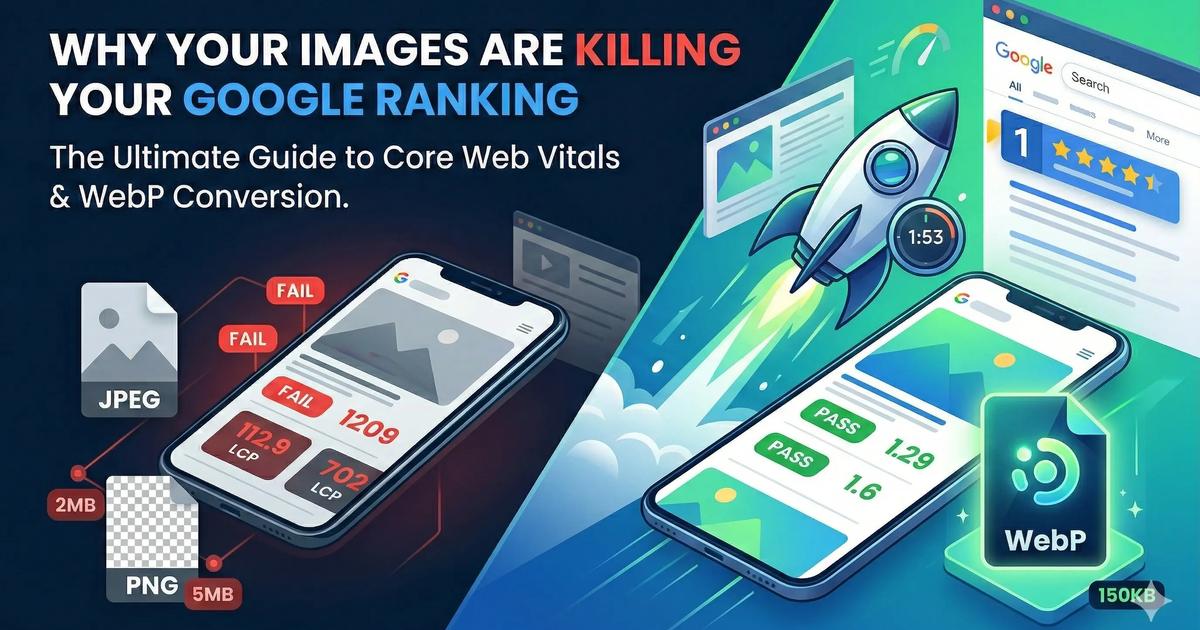
The Ultimate Guide to Core Web Vitals: Why Your Images Are Killing Your Google Ranking
The Ultimate Guide to Core Web Vitals: Why Your Images Are Killing Your Google Ranking
You’ve spent weeks designing the perfect website, writing killer content, and setting up your product pages. You launch, expecting floodgates of organic traffic from Google, but… nothing.
You check your Google Search Console, and you see it: a warning about Core Web Vitals. Specifically, your LCP (Largest Contentful Paint) is in the "Red."
If you don’t know what that means, don’t panic. You aren't alone. But you must fix it.
In 2026, Google doesn’t just rank sites based on keywords; it ranks them based on User Experience. If your site is slow, Google assumes your users are unhappy, and they will push you down the search results.
The #1 culprit for a slow, "Red" Core Web Vitals score? Unoptimized Images.
In this guide, we will break down exactly how images affect your ranking and show you the fastest, easiest way to fix it without losing image quality.
What Are Core Web Vitals?
Core Web Vitals are a set of specific factors that Google considers important in a webpage's overall user experience. They focus on three things:
Loading Speed (LCP): How fast does the main content load?
Interactivity (FID): How quickly can a user interact with the page (click buttons)?
Visual Stability (CLS): Does the page jump around while loading?
The Elephant in the Room: Largest Contentful Paint (LCP)
LCP is the most common reason websites fail Core Web Vitals. It measures how long it takes for the largest element on the screen (usually a hero image or a main banner) to become visible to the user.
If your hero image is a 3MB JPEG, your LCP score is going to be terrible. Google wants your LCP to be under 2.5 seconds. A massive, uncompressed image can easily push that to 10 seconds on a mobile connection.
Why Old Image Formats (JPEG, PNG) Are Harming Your SEO
For decades, JPEG and PNG were the kings of the internet. They served us well. But they are bulky. They were not designed for the modern, mobile-first web.
- PNG: Great for transparency, but file sizes are enormous.
- JPEG: Great for photos, but file sizes are still too large when trying to balance quality and speed.
Every extra kilobyte your user has to download adds milliseconds to your loading time. Every millisecond costs you money.
The Solution: Switch to WebP
This is the easiest SEO win you will find all year.
WebP is a modern image format developed by Google specifically for the web. It provides superior compression for images on the web, meaning you get much smaller file sizes while keeping your images looking crisp.
The Benefits of WebP:
30% Smaller Files: On average, WebP images are 30% smaller than JPEGs of the same visual quality.
Transparency Support: Like PNG, WebP supports transparent backgrounds, but at a fraction of the file size.
Faster Loading (LCP Fix): Smaller files load faster. Faster loading means a better LCP score. A better LCP score means better Google rankings.
🛑 STOP: Don't Manually Convert Thousands of Images!
You don’t need complex software or coding skills to modernize your website’s images.
You can batch-convert and compress your entire image library in seconds using WebPit. It’s 100% Free, Instant, and Private (images never leave your computer).
Try WebPit's Image Converter Now
How to Optimize Your Images for Core Web Vitals (Step-by-Step)
If you are ready to fix your LCP score and boost your rankings, follow this checklist:
1. Convert everything to WebP
Every image on your site—from the hero banner to the tiny icons—should be WebP. All modern browsers fully support WebP.
2. Compress Wisely
You don’t need "Maximum Quality" (100%) for web images. The human eye cannot tell the difference between a 100% quality image and an 80% quality image, but your file size will drop dramatically. WebPit allows you to adjust compression with a single slider.
3. Resize Your Images Before Uploading
Never upload a 4000px-wide image if it's only going to appear 800px-wide on your blog. Resize your images to their actual display dimensions before converting them to WebP.
4. Implement Lazy Loading
Lazy loading tells the browser: "Don't bother loading this image until the user scrolls down to it." This allows your main content (the LCP element) to load instantly without competing for bandwidth with images further down the page.
Conclusion: A Faster Site = More Revenue
Fixing your Core Web Vitals isn't just about pleasing Google's algorithm. It's about respecting your users' time.
A site that loads instantly keeps visitors engaged, reduces bounce rates, and increases conversions (sales). Converting your images to WebP is the simplest, most impactful technical SEO improvement you can make today.
Don't wait. Use a free tool like WebPit, optimize your images, and watch your rankings climb.
Get WebPit for Mac — unlimited power, one‑time purchase
Batch processing · Watch folders · Menu bar agent · Clipboard conversion · Native speed